Art Gallery Four Frames Mockup 3D: Real Ways Creatives and Galleries Use It
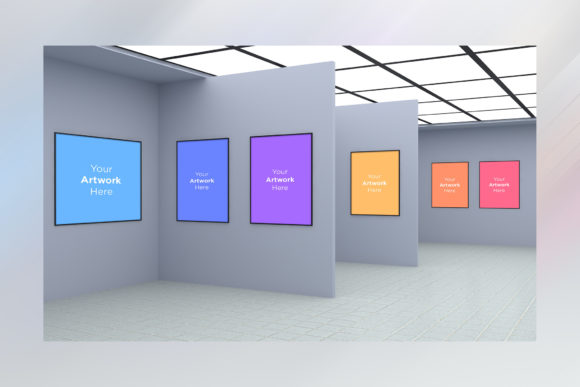
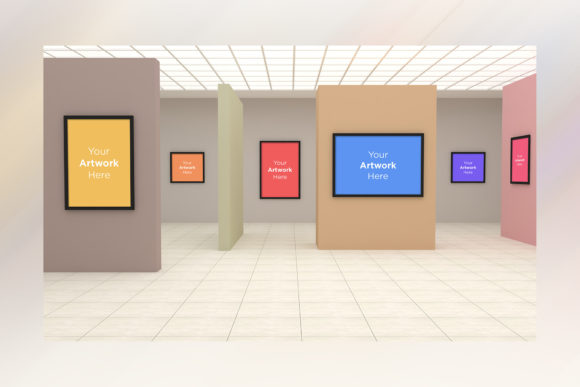
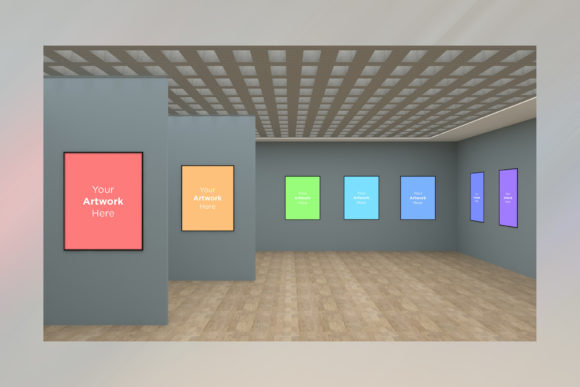
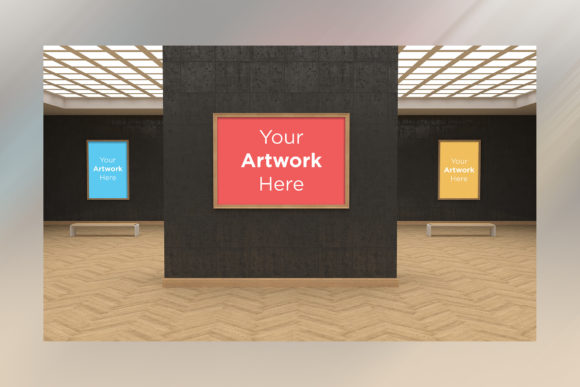
If you have ever spent hours rearranging digital artwork on a plain white background, only to realize it still looks flat and unconvincing, you are not alone. The gap between a polished design file and how that same piece feels when hung in a real room can be frustratingly wide. That gap is exactly what Art Gallery Four Frames Mockup 3D tries to bridge. Rather than simply dropping an image onto a rectangle, this type of mockup places your work inside a gallery setting with depth, lighting, and physical presence. It simulates the experience of walking into a white-walled exhibition space and seeing framed art mounted on the wall.
What makes this approach useful is not the novelty of 3D itself, but how it transforms the way people perceive your work. Designers, illustrators, photographers, and even interior decorators use these mockups to show scale, texture, and context in ways that a flat preview simply cannot match. And because the mockup includes multiple frames within one scene, you can present a cohesive body of work, a series, or a curated collection without stitching together separate images.
Presenting Series Work to Galleries and Curators
One of the most practical applications for Art Gallery Four Frames Mockup 3D is when you are preparing a submission for an exhibition, an open call, or a gallery review. Curators want to see not just individual pieces but how those pieces relate to each other spatially. Showing four framed works together in a single 3D room gives you the ability to demonstrate visual flow, color harmony, and thematic continuity.
Imagine you have a set of four abstract landscapes that share a muted palette. Placing them side by side in a mockup tells the curator that you have already thought about how the works interact on a wall. It signals professionalism and awareness of spatial design, which can set your application apart from someone who simply submits four separate JPEG files. The mockup becomes a quiet argument for your work being exhibition-ready.
For artists working in photography, this is especially relevant. A series of portraits or street scenes often gains meaning from proximity and sequence. The four-frame layout lets you arrange the images left to right or in a grid, showing the curator exactly how the narrative unfolds across the wall. You are not just selling individual prints; you are selling a complete visual experience.
E-Commerce and Print-on-Demand Stores
If you sell prints online, you already know that listing images on a white background rarely converts browsers into buyers. Customers struggle to imagine how a print will look in their own home. Art Gallery Four Frames Mockup 3D solves this by showing the artwork in a context that feels aspirational but believable. A living room or gallery wall with natural lighting and furniture cues helps people picture the print as part of their space.
What works particularly well here is the ability to showcase variety within a single listing. Instead of creating separate mockups for each size or frame color, you can place four variations in one scene. Show the same print in a black frame, a white frame, a wood frame, and a metallic frame, all within the same gallery environment. Customers can compare options instantly without scrolling through multiple product images. This speeds up decision-making and reduces the likelihood of returns due to unmet expectations.
Etsy sellers, Shopify store owners, and artists on platforms like Fine Art America have found that listing images with 3D room scenes outperform flat scans by a noticeable margin. The mockup adds perceived value. A print that costs forty dollars somehow looks more justified when it is shown on an elegant gallery wall than when it is shown as a standalone digital file.
Interior Designers and Art Consultants
Interior designers rarely purchase artwork in isolation. They curate spaces, and that means considering how each piece relates to the room, the furniture, and the other art on the wall. Art Gallery Four Frames Mockup 3D offers a practical tool for presenting proposals to clients. Instead of describing how a set of prints might look in a hallway or above a sofa, you can show them directly.
A designer working on a hotel lobby, for example, might use the mockup to arrange four large-scale abstract pieces across a reception wall. The 3D environment makes it easy to adjust spacing, alignment, and frame styles before committing to production. Clients see the full concept early, which reduces back-and-forth revisions later. For smaller residential projects, the mockup helps homeowners visualize how a collection of smaller works might fill a large wall without looking sparse or crowded.
Art consultants who source works for corporate offices also benefit. A company may want a series of four photographs that reflect its brand values or local landmarks. Using the mockup, the consultant can present the entire series in a realistic boardroom or lobby setting. The client walks away with a clear picture, literally and figuratively, of what the final installation will feel like.
Portfolio Websites and Social Media
Your portfolio website is often the first impression a potential client or employer gets of your work. Using Art Gallery Four Frames Mockup 3D in your portfolio adds depth and professionalism. It shows that you understand presentation, not just image making. Whether you are a graphic designer, a fine artist, or a digital illustrator, presenting your projects in a gallery context makes them feel finished and intentional.
On social media, especially Instagram and Pinterest, the mockup serves as a visual anchor. A single post showing four framed works in a stylish gallery room tends to generate more engagement than a standard grid of posts because it tells a story. Followers can imagine walking through the space, pausing at each piece. The 3D lighting and shadows create a tactile quality that plain digital images lack. Artists often report higher save and share rates on posts featuring room mockups, simply because they look more like something you would see in a real home or exhibition.
For those building a brand identity, the mockup also allows you to maintain a consistent aesthetic across your online presence. If you decide on a specific frame style or wall color for your mockup, that becomes part of your visual signature. People start to associate that look with your work.
Common Considerations Before Choosing a Mockup
Not all Art Gallery Four Frames Mockup 3D files are created equal, and a few practical considerations can save you time and frustration. First, pay attention to the resolution and file format. Some mockups are designed for quick social media posts and may look pixelated when used in print catalogs or large displays. If you plan to use the mockup for professional submissions or high-quality prints, look for assets with at least 300 DPI and editable smart objects.
Second, consider the lighting. A mockup with dramatic shadows and warm lighting might suit a certain mood, but it can also distort how your artwork looks. If color accuracy matters, choose a mockup with neutral, soft lighting that lets your art remain the hero of the scene. Similarly, check whether the frames in the mockup are customizable. Some mockups allow you to change the frame color, mat width, or even the wall texture. Others are fixed, which limits how much you can adapt them to your brand.
Another factor is the perspective. A front-facing mockup shows the art clearly but can feel static. A slightly angled or three-quarter view adds depth and realism, though it may make some details of the artwork harder to see. Think about your audience. For an online store, a straight-on view might be more practical because customers want to see the full image. For a portfolio or social media, an angled view can be more dynamic and eye-catching.
File compatibility also matters. Most mockups come as PSD files for Photoshop, but some are available for Procreate, Canva, or even as standalone 3D models. If you do not use Adobe software, check whether the mockup supports your preferred tool before purchasing or downloading.
Strengths and Honest Limitations
The biggest strength of Art Gallery Four Frames Mockup 3D is its ability to communicate context and scale instantly. It removes the abstraction from digital art sales and submissions. Clients, curators, and customers see the work as a physical object in a physical space, which builds trust and desire.
Another strength is flexibility. One mockup file can serve multiple purposes: a submission to a gallery, a product listing on your site, a portfolio screenshot, and a social media post. You get a lot of mileage from a single asset, which is valuable for independent artists who often wear many hats.
That said, there are limitations. The most common one is overuse. If everyone in your niche uses the same popular mockup, the presentation can start to feel generic. The gallery wall that once felt fresh may begin to look like a template. The solution is to customize the mockup when possible, change the wall color, add decorative elements, or adjust the lighting to make it your own.
Another limitation is that mockups, by their nature, show an idealized version of reality. The lighting is always flattering, the walls are always pristine, and the frames are always perfectly aligned. A mockup cannot replicate the experience of standing in front of the actual print under real-world conditions. For that reason, it works best as a complement to, rather than a replacement for, physical samples or high-resolution detail shots.
Finally, there is a learning curve for anyone new to working with layered files. If you have never opened a smart object in Photoshop or replaced a layer in a mockup template, it can be confusing at first. But most modern mockups come with clear instructions, and once you understand the workflow, it becomes a quick and repeatable process.
Bringing It All Together
Whether you are submitting to a gallery, selling prints online, designing a room, or building a portfolio, the Art Gallery Four Frames Mockup 3D gives you a way to present your work with context and intention. It turns a collection of digital files into a coherent visual story. It helps your audience see what you see: a finished piece in a real space, ready to be experienced.
The best approach is to use the mockup as one tool in a larger presentation strategy. Pair it with close-up details, artist statements, and behind-the-scenes process shots. Let the 3D environment do the heavy lifting of setting the scene, then let your art do the rest.