Business Logo Design 3D Cube: A Practical Guide to Integration and Execution
A cube-based logo offers a distinct visual identity that conveys stability, innovation, and multi-dimensional thinking. When you choose business logo design 3D cube as your core concept, you are not just selecting a shape — you are adopting a framework that influences how your brand is perceived across digital and physical touchpoints. This article walks through the practical aspects of planning, creating, and implementing a 3D cube logo within a real-world workflow.
What Is a 3D Cube Logo and Where Does It Fit?
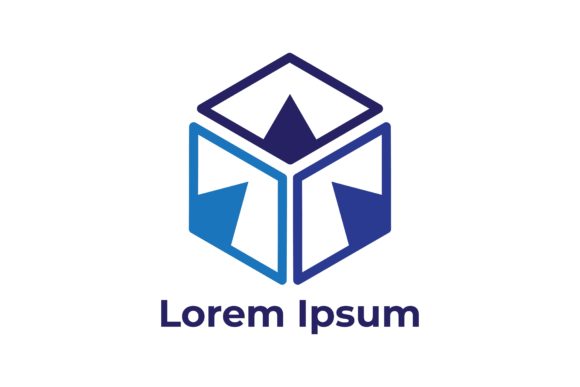
A 3D cube logo uses isometric or perspective rendering to present a cube that appears to have depth, volume, and spatial presence. It can be a single cube, an arrangement of multiple cubes, or a cube modified to incorporate brand symbols and typography. In the broader branding process, this type of logo fits as a central visual anchor — often used before, during, or after a product launch, website redesign, or rebranding initiative.
For a startup, a 3D cube logo can be designed as part of the initial brand kit. For an established business, it may replace a flat mark to signal modernization. In either case, the logo interacts with other assets such as color palettes, typography systems, and motion graphics. Understanding where the cube logo sits in your specific timeline helps you allocate resources effectively.
Defining Brand Personality and Constraints
Before opening any software, clarify what the cube should communicate. A solid, opaque cube suggests reliability and strength. A transparent or wireframe cube implies transparency and tech-forward thinking. List the brand attributes you want to emphasize. This preparation drives decisions about material, lighting, and color.
Also consider technical constraints: Will the logo be used primarily on screens, or will it appear on merchandise, signage, and packaging? The answer affects whether you build the cube in a 3D application and export raster or vector formats. For print, vector-based isometric cubes (created with precision guides in Illustrator or Affinity Designer) are more scalable than raster renders from 3D software.
Selecting Tools and Workflows
Common tools for business logo design 3D cube include:
- Blender (free, powerful for complex lighting and material tests)
- Adobe Illustrator (for flat isometric versions using the Transform effect)
- Cinema 4D (if you work in a studio that already uses it for animation)
- Figma or Sketch (with isometric plugins for quick prototyping)
Choose based on your existing workflow and the need for animation. If you plan to use the cube in video intros or web interactions, a 3D software that can output transparent background footage or Lottie files is ideal.
Building the Cube — Perspective vs. Isometric
Two main approaches exist. An isometric cube uses parallel lines and a 30-degree angle, making it easy to recreate consistently across different platforms. A perspective cube introduces vanishing points, giving a more realistic, dramatic look but harder to align with flat UI elements. For most business logos, isometric is the safer choice because it scales cleanly and works well alongside flat typography.
When constructing the cube, pay attention to the lighting scheme. A single light source with a soft shadow creates depth without complexity. Many designers use a three-light setup (key, fill, back) to make the cube pop. Keep the material matte or lightly glossy to avoid messy reflections that could distract from the brand name.
Integrating Typography and Symbols
The cube itself is only part of the logo. You need to decide whether the brand name sits inside a cube face, wraps around the cube, or floats beside it. For readability, avoid placing text on skewed faces unless the name is very short and the cube is large enough. A common workflow is to position the cube to the left of a clean sans-serif logotype, or to embed a single letter into the front face of the cube.
Test these integrations in context — on a business card mockup, a website header, and a social media avatar. The cube should still be recognizable at 32×32 pixels. If details get lost, simplify the cube geometry (fewer bevels, no interior lines).
Maintaining Consistency During Iteration
Logo design often involves multiple rounds of feedback. To stay efficient, maintain a master file with named layers for each cube face, lighting, and shadow. This structure lets you swap colors or adjust materials without rebuilding the scene. Use color codes from your brand palette; avoid arbitrary gradients that cannot be reproduced in print.
Exporting for Different Channels
Once the final business logo design 3D cube is approved, export at least these formats:
- SVG (for web, scalable, editable)
- PNG with transparent background (for presentations, social media)
- EPS or PDF (for print vendors)
- Animated MP4 or Lottie (if the cube spins or fades in video)
Organize these exports in a folder named by version and date. This helps when you need to provide files to a web developer or printer months later.
Quality Control Across Use Cases
Test the cube logo at actual sizes. A common mistake is designing on a 2000×2000 canvas and not checking how it looks at 150 pixels wide. For the 3D cube, ensure that the shading does not become muddy when scaled down. If it does, create a simplified vector version specifically for small sizes. This dual-format approach is standard for brands that use both complex 3D marks and flat lockups.
Long-Term Maintenance
As your brand evolves, the cube might need color updates or geometric refinement. Keep the original 3D scene file (Blender, C4D, or AI) with all materials and lighting intact. Store it in cloud storage alongside brand guidelines that specify exact face colors, light angles, and shadow opacity. This makes future updates a matter of minutes rather than a redesign.
Vector Editors and 3D Software
The cube design often starts in 3D software and then moves to a vector editor for typography and layout. Maintain a workflow where the cube is exported as a high-resolution PNG or a vector isometric drawing. If you need to adjust the cube's perspective after export, it is easier to go back to the 3D file than to try to warp the image in Photoshop. Build this revisiting step into your project timeline.
Mockup Generators and Brand Templates
Use placeholder mockups (such as t-shirt or signboard templates) to show clients how the cube logo will look in the real world. Many mockup tools accept smart objects; place your cube logo into these layers to visualize scale and lighting conditions. This step also helps you spot compatibility issues — for example, if the cube's shadow conflicts with the mockup's own shadows.
Collaboration with Team Members
If you work with a web developer, provide the cube logo as an SVG with CSS-friendly structure. For motion designers, supply the cube in layers or as a 3D model file. When collaborating remotely, use shared libraries (like Figma components or Adobe CC Libraries) to keep the approved cube accessible to everyone in a consistent form.
Preparation Reduces Rework
Before you start designing, gather inspiration but also gather constraints. Write down the exact dimensions where the logo will be used (website header: 250×100 px, mobile app icon: 1024×1024 px, email signature: 180×60 px). These dimensions guide how much detail the cube can carry. If you know the small sizes will be limited, plan a simplified cube variant from day one.
Efficiency in File Management
Use a naming convention like BrandName_Cube_V1.ai for each iteration. If you export five variations, keep only the final approved files in the production folder. Archive old versions in a separate “drafts” folder to avoid confusion. This organization may feel basic, but it saves hours when you circle back after a break.
Consistency Across Brand Materials
Once the cube is final, apply the same lighting and color scheme to other 3D brand assets — for example, product images or icon sets. This creates a cohesive visual system. Document the lighting setup (direction, intensity, color temperature) so that all 3D renderings match the logo's appearance.
Observations on Usability and Long-Term Value
A 3D cube logo is not just a trend; it offers practical advantages in differentiation. In crowded markets, a well-executed cube is more memorable than a generic flat icon. However, usability depends on how well it survives scalability and monochrome reproduction. Always test the cube in black and white — if it loses its form, add subtle line work to maintain clarity.
Over the long term, the cube can evolve without losing brand equity. You can rotate it, change colors, or add animation while keeping the core shape identifiable. This adaptability makes the cube a stable foundation for brand identity. By treating the design as a modular system (cube geometry, typography, color, lighting), you set yourself up for efficient updates as your business grows.
Ultimately, business logo design 3D cube is a strategic choice that blends visual impact with practical workflow integration. From pre-planning and software selection to post-launch file management, each phase benefits from a process-oriented approach. When you align the cube's construction with real use cases — and keep your files organized for the future — you create a logo that works as hard as your business does.