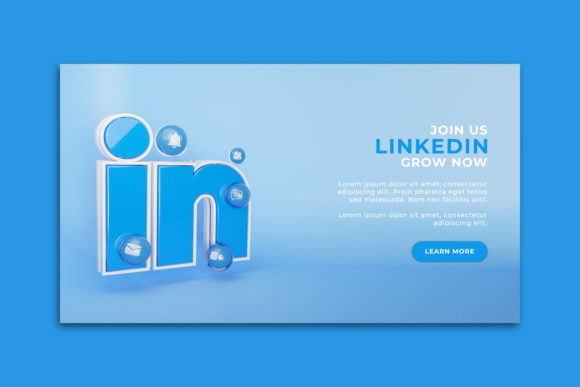
LinkedIn Marketing Web and Social Banner Strategies That Drive Engagement
LinkedIn has become one of the most powerful platforms for B2B marketing, professional branding, and lead generation. Yet many businesses still treat their presence on the platform as an afterthought. They post sporadically, use generic visuals, and fail to leverage the unique dynamics of LinkedIn's ecosystem. One of the most underutilized yet highly effective tools in this space is the LinkedIn Marketing Web or Social Banner. These banners serve as the visual handshake between your brand and your audience, and when executed well, they can transform passive viewers into active leads. But what exactly makes a banner effective on LinkedIn, and how do you integrate it into a broader marketing workflow?
Why Banners Matter More on LinkedIn Than You Think
Unlike other social platforms where visuals are often fleeting, LinkedIn users tend to engage with content more deliberately. They scroll with intention, often looking for industry insights, thought leadership, and professional offers. A well-designed LinkedIn Marketing Web or Social Banner catches that attention and communicates credibility within seconds. The banner is not just decoration—it is a strategic asset. It sits at the top of your LinkedIn Page, appears alongside sponsored content, and often acts as the first impression for someone discovering your brand.
When you think about banners on LinkedIn, you should consider two primary contexts: the LinkedIn Company Page banner (sometimes called the cover image) and the social banner used within ad creatives or post visuals. Both serve distinct purposes but share common principles. The Company Page banner reinforces brand identity and tells visitors what your business does, while social banners within posts or ads drive specific actions like webinar sign-ups, whitepaper downloads, or event registrations.
Core Qualities of a High-Performing LinkedIn Banner
Creating a banner that resonates on LinkedIn requires more than just good design software and a company logo. You need to understand the platform's unique visual language and the expectations of its user base. Here are the qualities that separate effective banners from forgettable ones.
Clarity Over Chaos
LinkedIn users are often multitasking professionals. They might be scanning your page between meetings or while reviewing industry news. Your banner must communicate your value proposition instantly. Avoid cramming too much text, multiple calls to action, or intricate visuals that require close inspection. A single, clear message with a strong visual hierarchy works best. For example, if you are promoting a LinkedIn Marketing Web or Social Banner for an upcoming webinar, the headline should be readable at a glance, and the CTA button or link should be obvious.
Professional Aesthetic Without Being Boring
There is a fine line between looking professional and looking dull. LinkedIn is a professional network, but it is also a social platform. Your banner should feel polished, using high-resolution imagery, consistent brand colors, and clean typography. Yet it should also have personality. A banner that looks like a generic corporate template will blend into the background. Adding a subtle gradient, an interesting texture, or a carefully placed illustration can make your brand feel approachable without sacrificing professionalism.
Mobile-First Design
More than half of LinkedIn's traffic comes from mobile devices. This means your banner must be legible and visually appealing on a small screen. Text that looks fine on a desktop monitor may become unreadable on a phone. When designing a LinkedIn Marketing Web or Social Banner, always preview it on mobile. Keep critical elements—your headline, logo, and primary CTA—within the center of the frame, as edges are often cropped on mobile views. LinkedIn's recommended dimensions for Company Page banners are 1128 x 191 pixels for desktop, but the mobile crop is narrower, so avoid placing important content too far to the left or right.
Alignment With Campaign Goals
Not every banner should look the same. If your goal is brand awareness, the banner should emphasize your logo and tagline. If the goal is lead generation, the banner should highlight an offer and include a clear next step. If you are running a LinkedIn Marketing Web or Social Banner campaign for a product launch, consider using lifestyle imagery that shows the product in use rather than a simple logo splash. The banner is part of your sales funnel, not a standalone piece of art.
Practical Benefits of Using Banners in LinkedIn Campaigns
Investing time in banner design yields tangible results. One of the most immediate benefits is increased click-through rates. A cohesive, well-designed banner signals trust. When users see a professional banner, they are more likely to click on your content, visit your website, or engage with your posts. This is especially true for sponsored content, where the banner is often the first element users see before deciding whether to read the accompanying text.
Another benefit is brand recall. LinkedIn users are exposed to dozens of brands every day. A consistent banner style across your Company Page, ads, and posts creates a recognizable visual identity. Over time, users begin to associate that specific look with your brand, making them more likely to remember you when they need your services. This is particularly valuable for B2B companies with long sales cycles, where multiple touchpoints are required before a conversion.
Banners also help with segmentation and targeting. When you design different banners for different audience segments, you can tailor your messaging to resonate with specific industries, job functions, or pain points. For instance, a banner for IT managers might emphasize security and compliance, while a banner for marketing directors might highlight ROI and analytics. Using a LinkedIn Marketing Web or Social Banner in this way allows you to speak directly to the concerns of each group without changing your overall brand identity.
How to Integrate Banners Into Your Modern Workflow
Modern marketing workflows are fast-paced and often involve multiple stakeholders. To make banners work effectively, you need a streamlined process. Start by creating a banner template library. This does not mean every banner looks identical, but having a set of reusable elements—fonts, color palettes, logo placements, and image filters—saves time and ensures consistency. When a new campaign or event arises, you can produce a banner in minutes rather than hours.
Next, consider using dynamic banners where possible. LinkedIn allows you to create ads with dynamic elements that change based on the viewer's profile. While this is more complex than a static image, it can significantly improve relevance and engagement. A dynamic banner might show the user's industry in the headline or display a different offer based on their seniority level. This approach works particularly well for enterprise software companies targeting multiple decision-makers within the same organization.
Another workflow consideration is A/B testing. Never assume you know which banner will perform best. Create two or three variations of your LinkedIn Marketing Web or Social Banner and test them against each other. Change one element at a time—headline, image, CTA button color—and measure the results. Over time, you will develop a data-backed understanding of what resonates with your specific audience. This iterative process is far more effective than relying on intuition alone.
Common Mistakes and How to Avoid Them
Even experienced marketers make errors when designing LinkedIn banners. One of the most common is using outdated dimensions. LinkedIn updates its interface and ad specifications periodically. Using an old banner size can result in awkward cropping or distorted images. Always check LinkedIn's current guidelines before starting a new design. This is especially important for the LinkedIn Marketing Web or Social Banner used in ad placements, where dimensions vary by ad format.
Another mistake is overcomplicating the design. Banners that try to communicate too many messages at once end up confusing the viewer. Stick to one core idea per banner. If you have multiple offers or announcements, create separate banners for each rather than combining them into a single cluttered image. Simplicity is not a sign of laziness; it is a sign of strategic thinking.
A third issue is ignoring the surrounding content. A banner does not exist in isolation. It appears alongside your profile picture, your post text, and in some cases, other users' content. Consider how your banner will look in context. Does it clash with your profile image? Does it repeat information already in your post? Does it complement the overall visual tone of your page? Taking a holistic view of your LinkedIn presence will help your banners feel cohesive rather than disconnected.
Scenarios and Recommendations for Different Use Cases
Let us look at a few realistic scenarios to see how these principles apply in practice.
Scenario 1: A SaaS Company Launching a New Feature
The company creates a LinkedIn Marketing Web or Social Banner that shows a clean screenshot of the new feature interface, with a headline that reads "Automate Your Reporting in One Click." The banner uses the company's signature blue color and includes a subtle call-to-action button labeled "See How It Works." This banner is used in both a Company Page update and a sponsored content campaign targeting data analysts. The simplicity of the design allows the value proposition to shine without distraction.
Scenario 2: A Consulting Firm Promoting a Whitepaper
The firm designs a banner with a professional photograph of a team member in a meeting, overlaid with the title of the whitepaper: "The Future of Remote Work in 2025." The banner includes a small QR code for easy mobile access, as well as a line of text encouraging users to "Download the Full Report." The banner is mobile-optimized, with the title appearing clearly even on smaller screens. The firm runs this as a LinkedIn Lead Gen ad, capturing email addresses directly within the platform.
Scenario 3: A Recruitment Agency Building Brand Awareness
Instead of a product or offer, the agency uses a banner that highlights its company culture. The LinkedIn Marketing Web or Social Banner features candid photos of team members at a community event, with the tagline "We Connect Talent With Purpose." The banner appears on the Company Page and in employee posts. The goal is not immediate conversion but long-term association with a positive employer brand. Over time, this banner helps attract both candidates and clients who value cultural fit.
Final Observations on LinkedIn Banner Strategy
Banners on LinkedIn are not a set-and-forget element. They require ongoing attention, testing, and refinement. As your campaigns evolve and your audience's preferences shift, your banners should evolve as well. What worked six months ago may feel outdated today. Regularly review your banner performance metrics—click-through rate, engagement rate, and conversion rate—and make adjustments accordingly.
Also, remember that a banner is just one part of your LinkedIn marketing ecosystem. It works best when combined with strong copy, relevant hashtags, thoughtful targeting, and active community engagement. A stunning banner cannot compensate for a weak offer or an inactive page. But when all elements align, the LinkedIn Marketing Web or Social Banner becomes a powerful tool that amplifies your message, builds trust, and drives measurable results.
Whether you are a solo entrepreneur managing your own LinkedIn presence or a marketing team running multi-channel campaigns, investing in banner design and strategy pays dividends. Start with clarity, prioritize mobile usability, test relentlessly, and always keep your audience's needs at the center of your creative decisions. That is the approach that turns a simple banner into a meaningful marketing asset.