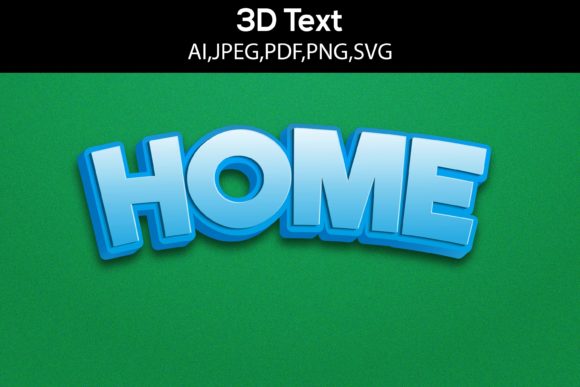
Home 3D Text Design SVG: Transforming Digital Typography into Dimensional Art
Typography has long been a cornerstone of visual communication, but adding depth transforms flat letters into something that commands attention. Home 3D Text Design SVG represents a growing intersection of scalable vector graphics and dimensional typography, allowing creators to produce text elements that appear to have height, shadow, and spatial presence while retaining the crisp scalability of vector format. Unlike raster-based 3D text that degrades when resized, SVG-based 3D text maintains its quality whether displayed on a smartphone screen or printed across a billboard. This technology has quietly become a staple for modern visual projects, and understanding its nuances can elevate any design workflow.
What Makes SVG Three-Dimensional Text Different
The fundamental distinction between standard SVG text and its 3D counterpart lies in how depth is simulated. Standard SVG renders text as flat paths or characters, while 3D SVG text employs multiple layers, gradient fills, shadow offsets, and isometric transformations to create the illusion of extrusion. The beauty of Home 3D Text Design SVG lies in its ability to fake dimensionality using pure vector math rather than requiring heavy rendering engines. Designers achieve this through techniques such as stacking duplicated text elements with varied offsets, applying linear gradients that mimic light hitting a beveled edge, and using SVG filters for realistic drop shadows and specular highlights.
For those unfamiliar with the technical underpinnings, SVG handles 3D text through coordinate transformations. The transform attribute allows skewing, rotating, and scaling text along multiple axes, creating the appearance of perspective. When combined with carefully chosen color stops and opacity layers, the result is text that appears to lift off the page. This approach is particularly valuable for home decor visualization, branding mockups, and digital art where file size and loading speed matter.
The Role of Extrusion in Home 3D Text Design SVG
Extrusion is the most common technique used to give text a 3D appearance. It involves creating a front face, a side face, and a back face for each character. In SVG, this is typically simulated by copying the text element multiple times, shifting each copy slightly along the x and y axes, and filling the stack with progressively darker colors to represent the extruded side. The front layer receives the brightest fill to simulate direct light, while the side layers fade into shadow. This manual layering approach gives designers complete control over the depth, angle, and lighting of the final output.
One of the key advantages of working with home 3D text design SVG files is that they remain editable. A graphic designer can open the SVG in a text editor and adjust the extrusion depth by simply changing the offset values, or tweak the color palette to match a brand guideline. This programmatic accessibility makes SVG 3D text particularly appealing for automated design systems and template-based projects.
Practical Applications Across Industries
The versatility of Home 3D Text Design SVG extends far beyond simple decoration. In home staging and interior design visualization, 3D SVG text is used to create realistic signage, wall art mockups, and room labels that blend seamlessly with photorealistic renderings. A real estate professional might use 3D text overlays to highlight property features in virtual tours, where the text needs to appear integrated into the scene rather than pasted on top.
For hobbyists and crafters, SVG 3D text files become templates for laser cutting, vinyl cutting, and CNC routing. A maker can take a home 3D text design SVG file, import it into cutting software, and produce physical 3D lettering from wood, acrylic, or metal. The vector nature of SVG ensures that the cutting path is precise, and the layered construction of the 3D text translates directly to multi-layer physical assembly. This bridge between digital design and physical fabrication is one of the most compelling reasons to master SVG 3D text techniques.
Business owners and marketers find value in using 3D SVG text for social media graphics, email headers, and website hero sections. Dimensional text grabs attention in cluttered feeds, and because SVG files are lightweight, they load quickly without sacrificing visual impact. An e-commerce store selling home goods might use Home 3D Text Design SVG to create promotional banners that feel premium and tactile, encouraging clicks and conversions.
Educational and Research Applications
Educators teaching graphic design or web development often use SVG 3D text as a practical exercise in understanding coordinate systems, gradients, and layering. The process of manually constructing 3D text in SVG teaches core concepts about vector math and visual perception that transfer to more advanced 3D modeling software. Researchers in human-computer interaction study how dimensional text affects readability and user engagement, with SVG providing a consistent testbed for these experiments because it renders uniformly across browsers.
Key Characteristics of High-Quality 3D SVG Text
Not all 3D text is created equal. The most effective home 3D text design SVG files share several distinguishing characteristics. First, they maintain clean typography. The underlying font selection matters immensely; sans-serif fonts with uniform stroke widths tend to extrude more cleanly than ornate scripts with thin hairlines that can break during the layering process. Second, the lighting direction should be consistent across all characters. If the light source appears to come from the top-left, every letter must reflect that same angle, or the illusion of depth collapses.
Third, the depth of extrusion should be proportional to the size and weight of the font. A thin light font extruded too deeply looks unnatural, while a bold font with minimal extrusion may not read as 3D at all. Experienced designers balance these factors to create text that feels solid and present without appearing cartoonish. Fourth, color harmony plays a critical role. The front face, extrusion sides, and background shadow should form a coherent palette. High-contrast combinations such as white text with dark blue extrusion and a pale gray shadow tend to read most clearly at small sizes.
Tools and Workflows for Creating Home 3D Text Design SVG
Several pathways exist for generating 3D SVG text, each suited to different skill levels and project requirements. Vector design applications like Adobe Illustrator and Inkscape offer built-in 3D and extrusion tools that can export to SVG. In Illustrator, the 3D and Materials panel allows users to extrude text, adjust lighting, and map textures, with the result exportable as SVG. Inkscape, being open-source, provides similar functionality through its Extrude extension, though the results often require manual cleanup to ensure clean SVG code.
For those who prefer code-based workflows, generating Home 3D Text Design SVG programmatically using JavaScript or Python libraries offers maximum control. Libraries like SVG.js and Snap.svg include methods for creating text with transforms, and custom scripts can generate layered extrusions with randomized or systematic variations. This approach is particularly useful for designers producing batches of text for variable data projects, such as personalized home signs or event banners.
Online generators have also emerged as accessible tools for beginners. Websites focused on SVG 3D text allow users to input text, choose a font, adjust depth, and download the resulting SVG. While these tools are convenient, they often produce bloated or unoptimized SVG code. Designers who intend to use the output professionally should be prepared to clean the code, removing unnecessary groups, inline styles, and redundant elements that can cause rendering inconsistencies across browsers.
Considerations for Cross-Platform Rendering
One challenge with Home 3D Text Design SVG is ensuring consistent appearance across different devices and operating systems. SVG rendering engines vary between browsers, and what looks perfectly dimensional in Chrome may appear flat in Safari or Firefox. To mitigate this, designers should test their SVG files in multiple browsers and consider using SVG filters sparingly, as some filter effects are not uniformly supported. A safer approach is to rely on layered geometry and gradients rather than complex filter chains, as these are more consistently rendered.
Another consideration is font availability. SVG files that reference system fonts may render differently on devices that lack those fonts. To guarantee consistency, designers can convert text to paths before applying 3D effects. This makes the design completely self-contained, though it sacrifices editability. For projects where the text is final, converting to paths is the recommended practice. For templates where text will be changed later, embedding web fonts or using universally available system fonts like Arial or Helvetica is the better choice.
Creative Possibilities and Design Exploration
The creative potential of home 3D text design SVG extends into animation. By adding CSS animations or JavaScript interactions, 3D SVG text can rotate, pulse, or respond to hover events. A home decor website might feature 3D text that slowly rotates to reveal different extrusion angles, giving visitors a sense of the product's physicality. An educational portal could use interactive 3D text that changes color or depth when clicked, making learning more engaging.
Combining 3D text with other SVG elements opens even more possibilities. Imagine a home 3D text design SVG file that integrates dimensional typography with isometric room illustrations, creating a cohesive scene where the text feels like a physical object within the space. Or consider using 3D text as a cutout in a larger shape, with the background showing through the extruded sides. These advanced techniques push SVG beyond its typical boundaries and demonstrate the format's surprising flexibility.
Designers are also exploring the use of 3D SVG text for accessibility. Dimensional text can be paired with tactile feedback in physical prints, helping visually impaired users engage with typography through touch. In digital contexts, SVG 3D text can be designed with sufficient contrast and readability to meet WCAG guidelines while still offering a rich visual experience. Balancing aesthetic depth with legibility is an ongoing area of exploration, and successful implementations show that 3D text does not have to sacrifice usability.
Optimizing SVG Code for Performance
A well-constructed home 3D text design SVG file should be lean. Each layer of extrusion adds to the file size and the rendering complexity. Designers should limit the number of extrusion layers to what is visually necessary, typically between three and eight layers depending on the desired depth. Using CSS classes to apply fills and strokes rather than inline styles can reduce redundancy, and grouping and reusing gradient definitions keeps the code organized.
Minifying SVG files before deployment is a best practice. Tools like SVGO can strip unnecessary metadata, collapse groups, and optimize path data without affecting visual quality. For 3D text with many layers, these optimizations can cut file size by 30 percent or more, resulting in faster page loads and smoother rendering on mobile devices. Given that home 3D text design SVG is often used in responsive designs, performance optimization is not optional but essential.
Future Trends in Vector Dimensional Typography
As browser support for advanced SVG features continues to improve, the capabilities for 3D text within SVG will expand. The upcoming SVG 2 specification includes better support for 3D transforms and compositing, which could enable native extrusion without manual layering. This would dramatically simplify the creation process and open SVG 3D text to a wider audience. Additionally, the rise of WebGPU and hardware-accelerated rendering in browsers may allow SVG to handle more complex 3D effects with better performance.
Another trend is the integration of SVG 3D text with augmented reality. In AR environments, 3D SVG text can be overlaid on real-world scenes, with the vector format ensuring sharp text at any distance. Home decor apps already use this approach to let users visualize wall art or signage in their own spaces before purchasing. The combination of AR and Home 3D Text Design SVG represents a natural evolution, merging the precision of vector graphics with the immersiveness of augmented reality.
The growing interest in parametric and generative design also influences how 3D SVG text is created. Designers now use algorithms to generate text that adapts its depth, angle, and color based on environmental data or user preferences. A dynamic home 3D text design SVG might change its extrusion direction based on the time of day, simulating the movement of the sun. These smart typography systems are still experimental but point toward a future where text is not just seen but experienced.
For professionals and hobbyists alike, the journey into home 3D text design SVG is one of continuous discovery. Each project reveals new techniques, new challenges, and new ways to make words occupy space. Whether the goal is a physical sign for a home workshop, a digital banner for a brand launch, or an interactive learning tool for a classroom, mastering the art of dimensional vector typography delivers results that stand out in a flat world. The tools are accessible, the principles are learnable, and the creative possibilities are virtually limitless.